

ARCHIMEDES 16.1
Archimedes is a handy package of over 150 medical calculators
Program info
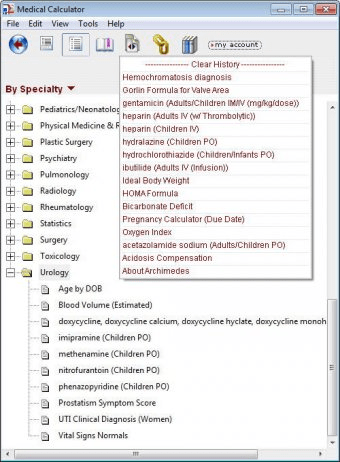
Archimedes is a unique package of over 150 medical calculators. All the included calculators are intuitive, easy-to-use and perfectly capable of eliminating the headache of having to deal with manual calculations that involve complicated variables and intricate formulas.
Though being comprehensive, Archimedes is simple-to-use as it offers a neat and straightforward interface and a powerful indexing system with effective search capabilities. It also lists the supported calculations by their medical specialty (in the “Table of Contents”) and it comes with useful auxiliary explanations for most formulas and calculations. In many cases it comes with complete details about each formula and plenty of explanatory information for each calculation.
Archimedes allows you to use either conventional (US) or SI units. It also maintains a history of the performed calculations.
In conclusion, Archimedes is a simple, free, yet very handy tool that lets you easily perform a wide variety of medical calculations, from the simplest ones like acidosis compensation or the ideal body weight to complex ones like heparin-related calculations or the left ventricular hypertrophy (Romhilt-Estes) calculation. I recommend this tool with all my heart to any medicine student, clinic doctors, health professionals, and not only.
Pros
- Intuitive, neat and simple-to-use interface
- Includes explanations for many formulas and calculations
- Very comprehensive package that includes a lot of calculations
Cons
- None
Details
Extensions

No information available
The data will be available later.Awards

Related software

It offers you information and definitions covering almost all fields of medicine

Tool for image processing & measurement program for medical use.

It allows you to calculate the allowances for axial water swell.
Related stories
See all
Windows 10 still works in 2026, but is it safe? Learn when ESU protects you, what happens after Oct. 13, 2026, and when to upgrade.

Windows 11 says your drive is full, but where did the space go? Here’s how to find hidden storage hogs and clean them up without breaking your system.

Windows 11 now lets Copilot+ PC users remove one AI model. Here’s how much space it can save, what stays, and how to disable other AI features.


Comments